

Photorealistic Renderings, Faster Sourcing, and Sharper Team Collaboration
Mydoma exists to help design teams move from idea to finished room without friction, and this release brings a batch of everyday improvements, including faster sourcing tools, smarter team notifications, and fixes that tighten up client management and billing. Here’s what’s new.
AI Rendering on Design Boards
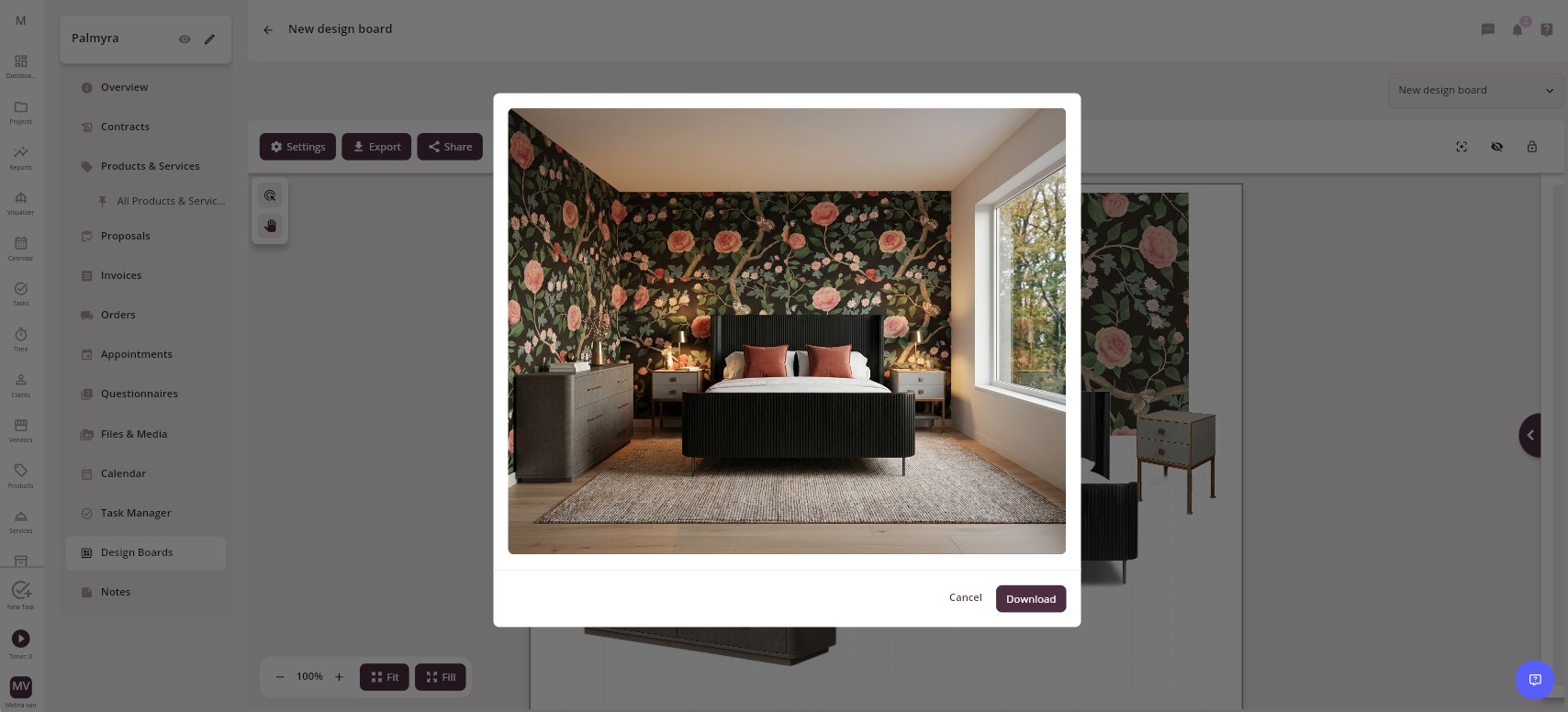
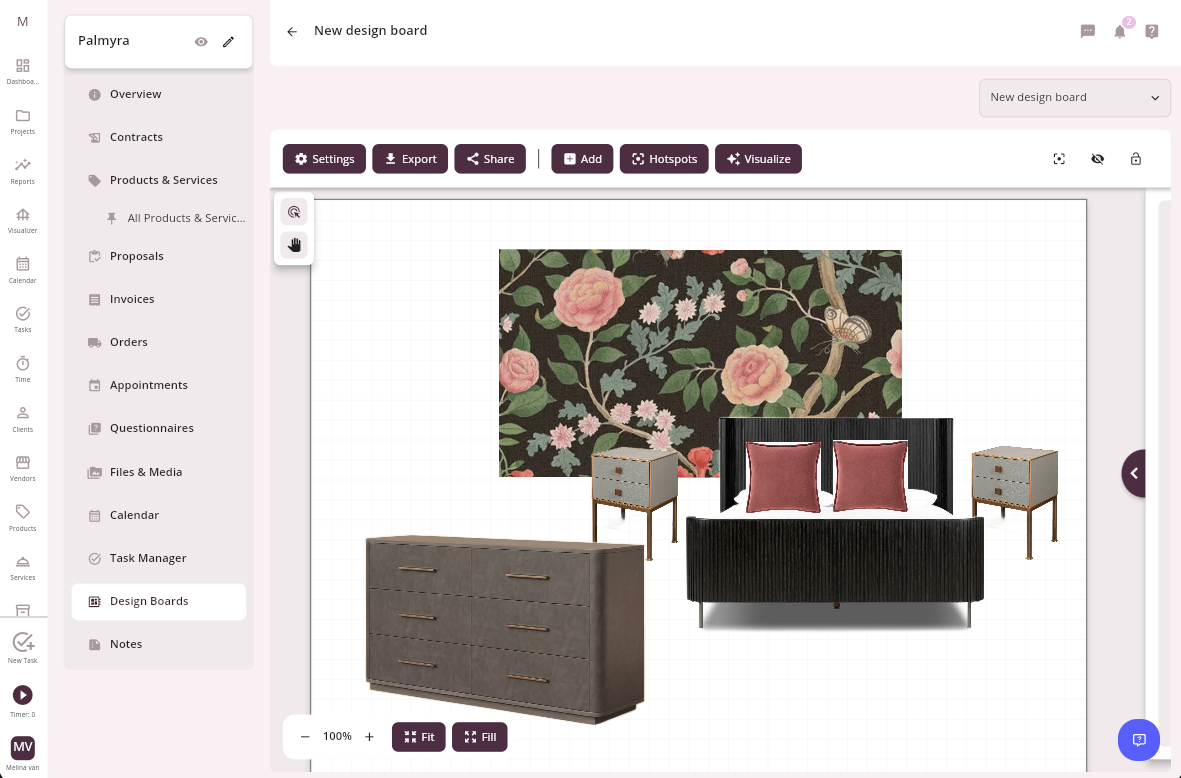
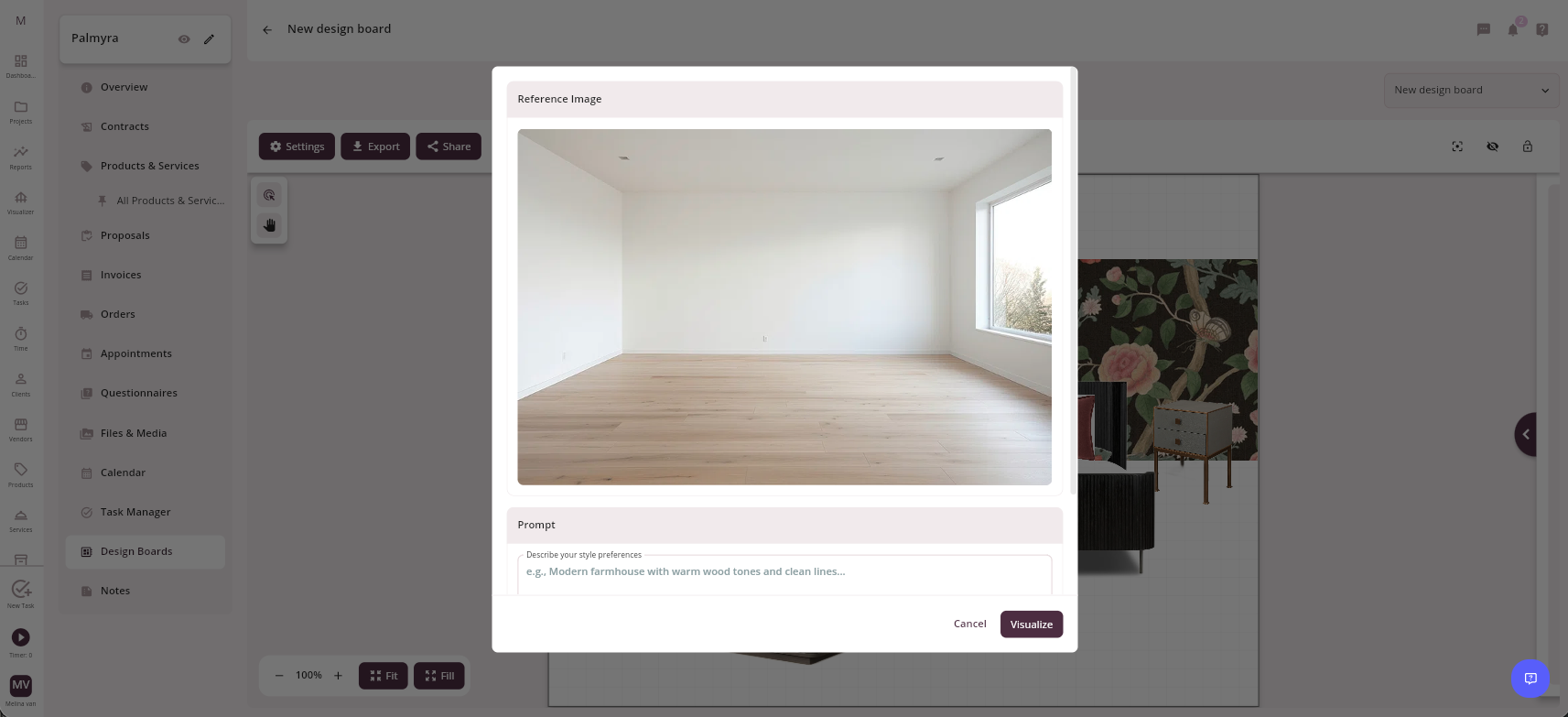
AI Rendering on Design Boards remains available to early access members, letting designers select the real products already on a board and generate a photorealistic rendering of that design inside an actual room, no exporting, no third-party tools, no rebuilding the selection somewhere else. It’s a way to bring a design board to life using the exact products a client is considering, all without leaving Mydoma. Firms who haven’t joined yet can sign up for Early Access to get started.
Connected Catalog & Sourcing
Sourcing got noticeably faster this month. Catalog filters now open automatically the moment a designer starts browsing, cutting out the extra click it used to take to begin narrowing results. Adding items to a project is quicker too, with support for selecting and adding multiple items at once directly from the Connected Catalog, so designers can stay in sourcing mode instead of switching back and forth. The Catalog itself keeps expanding, now topping 370,000 SKUs across 200 brands, with new additions like Arhaus, Made Goods, Hinkley, and Troy Lighting.
Team Notifications & Collaboration
Keeping a team aligned shouldn’t mean chasing people down for updates. Team members and clients now get notified correctly when deliverables are shared with new users on projects they already have access to, closing a gap that left some collaborators out of the loop. Folders and embeds also notify viewers when content is approved and notify owners and editors when something is unapproved, so status changes are visible to everyone who needs to know, not just the person who made the change.
Client Management & Billing
A few smaller fixes round out the release. Users can now successfully select or add a client source within Client Management, keeping client records accurate from the start. And incorrect billing warnings that used to pop up when inviting clients to a studio are gone, so teams can send invites without a confusing false alarm.
June’s release is about giving design teams a faster path from concept to client-ready presentation: a new way to visualize designs in real rooms, a sourcing flow with less friction, and collaboration tools that keep everyone on the same page.
Join our newsletter
Get the latest in interior design trends, expert tips, and exclusive project insights delivered straight to your inbox!