
AI Rendering on the Horizon, Smarter Sourcing, and a More Reliable Platform
Mydoma is where designers manage the full arc of a project, from initial concept to final invoice. The May 2026 release brings a preview of something genuinely new to the platform, plus targeted improvements to catalog search, invoicing, and the day-to-day reliability of the tools you use most. Here’s what’s new.
Coming Soon: AI Rendering on Design Boards
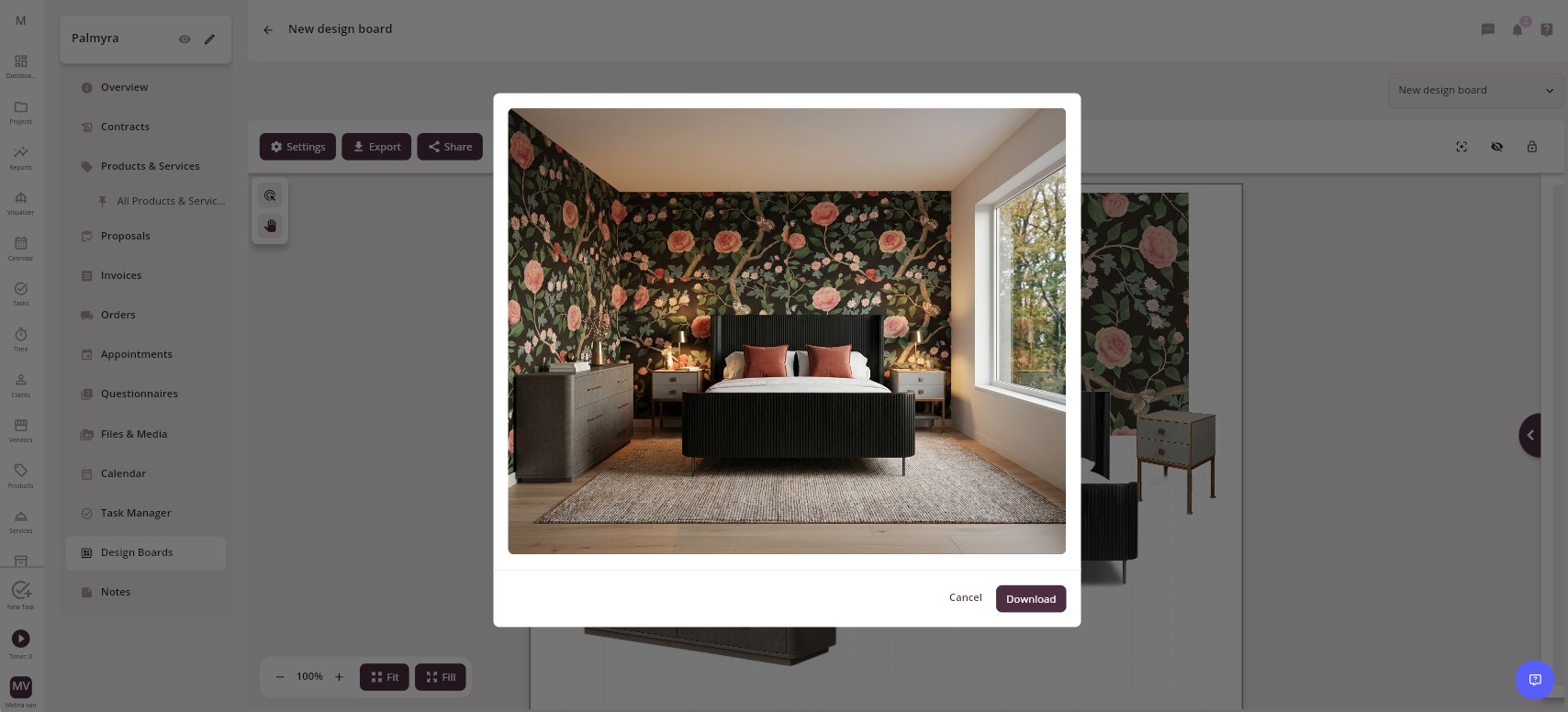
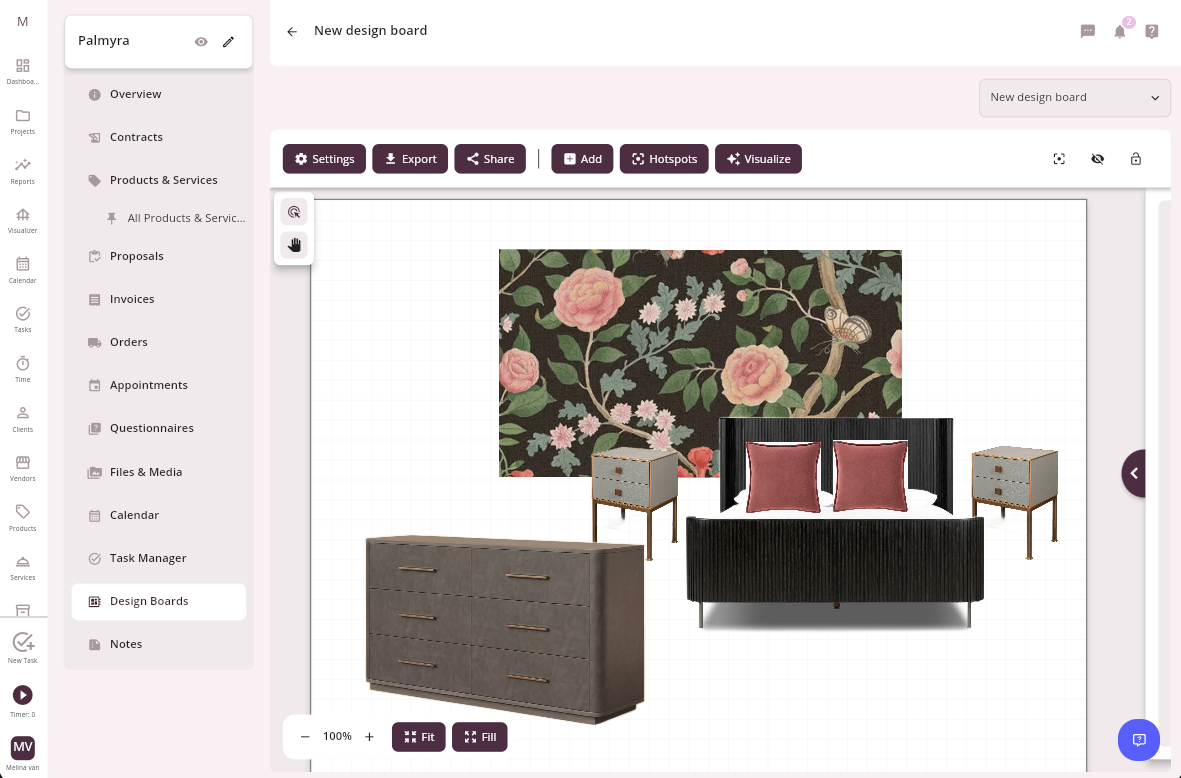
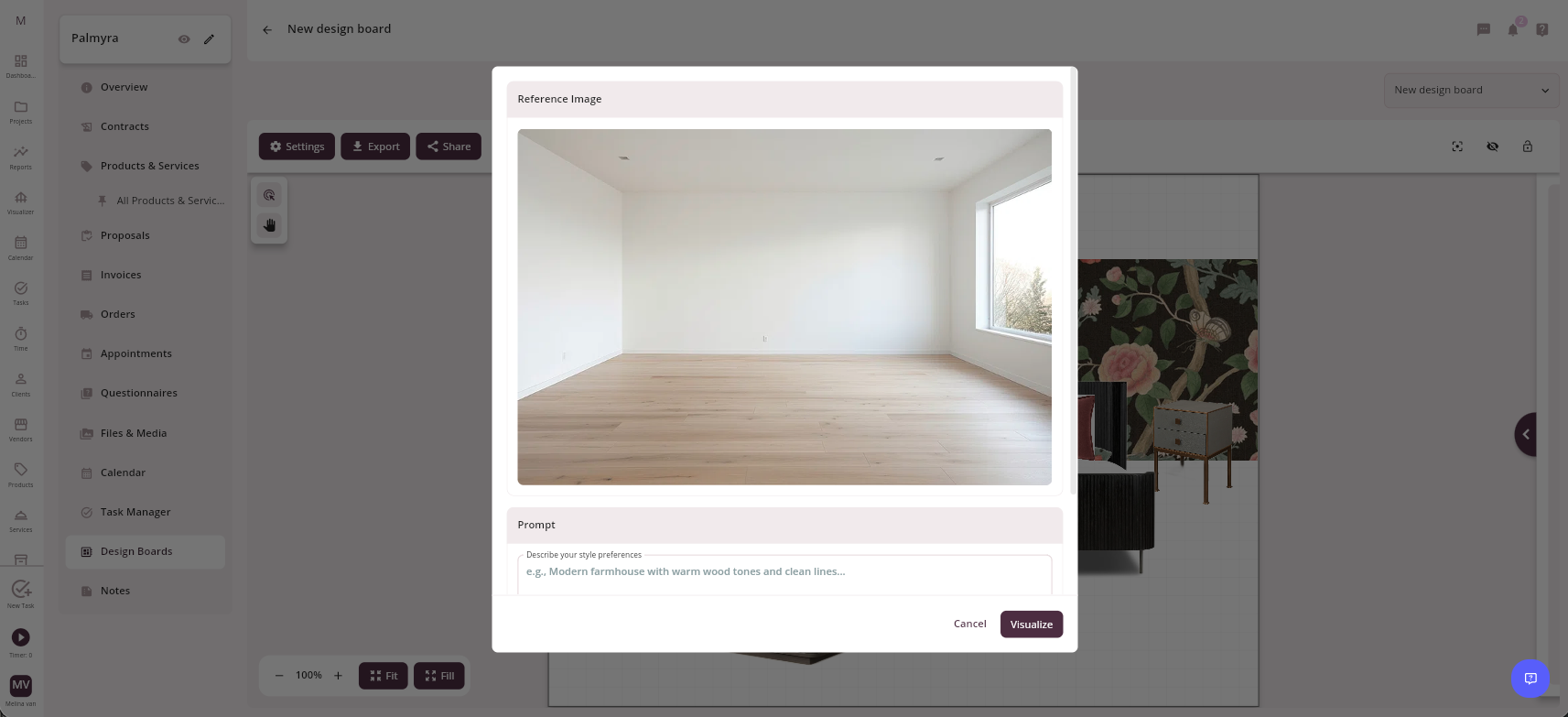
This one is worth getting excited about. AI Rendering on Design Boards is nearly here, and it will change how you present spaces to clients. Select the products you want to showcase, and the AI renders a photorealistic mockup of how they look in the room. You can even upload a photo of the actual space you are designing, so clients see their real room with your real product selections in it, all without leaving Mydoma.
The rollout starts with Early Access. If you want to be among the first designers to try it, submit the Early Access Interest Form to request access before the full launch.
Connected Catalog
Sourcing just got more precise. Designers can now filter Connected Catalog items by width, height, and depth, making it faster to find products that actually fit the space rather than narrowing down after the fact.
Invoicing
A focused round of invoice fixes cleans up several issues that had been affecting billing accuracy. Invoice line items now display correctly inside Mydoma Studio, matching what appears in the generated PDF. Shipping amounts from payment specifications are now applied properly when the payment total exceeds the line item total. PDFs no longer default to today’s date and instead correctly reflect the due date saved on the record. And team members can now download all invoices shown in Invoice Reports, so exported data matches what’s on screen.
Reliability Fixes Across the Platform
Several additional updates improve accuracy and workflow across Mydoma. The Currency filter in Accounting now correctly returns services set to USD. Views no longer show a Liked filter value when no filter is applied, so the interface stays clean and uncluttered. Designers and team members now receive notifications from Files and Media folders, keeping everyone informed of important file activity. And admins are now visible when adding team members to a project, so they can be selected regardless of who originally created the project.
May sets the stage for what’s coming next. The AI rendering preview is the headline, but the reliability and workflow improvements underneath it reflect the same commitment: a platform that stays out of your way so you can focus on the work that matters.
Join our newsletter
Get the latest in interior design trends, expert tips, and exclusive project insights delivered straight to your inbox!